
Melange developer guide
How Melange works for mod and module authors: settings, logs, the SDK, and each subsystem. To write your first mod or module, start with Creating a plugin.
| Topic | Reference |
|---|---|
Mod manifest (spice.json) |
spice.md |
Lua API (wum.*) |
lua-api.md |
| Weapon clones | weapons.md |
| Oasis web app | oasis.md |
| Local content importers | importers.md |
| Replays and desync detection | wormsign.md |
| Map editor (Erg) | erg.md |
xomtool |
xomtool.md |
| Frame capture format | capture-format.md |
Configuration
Section titled “Configuration”Every module has its own section in Melange.ini, and Enabled=0 turns a module off. Missing keys are added with their default values the first time the game runs.
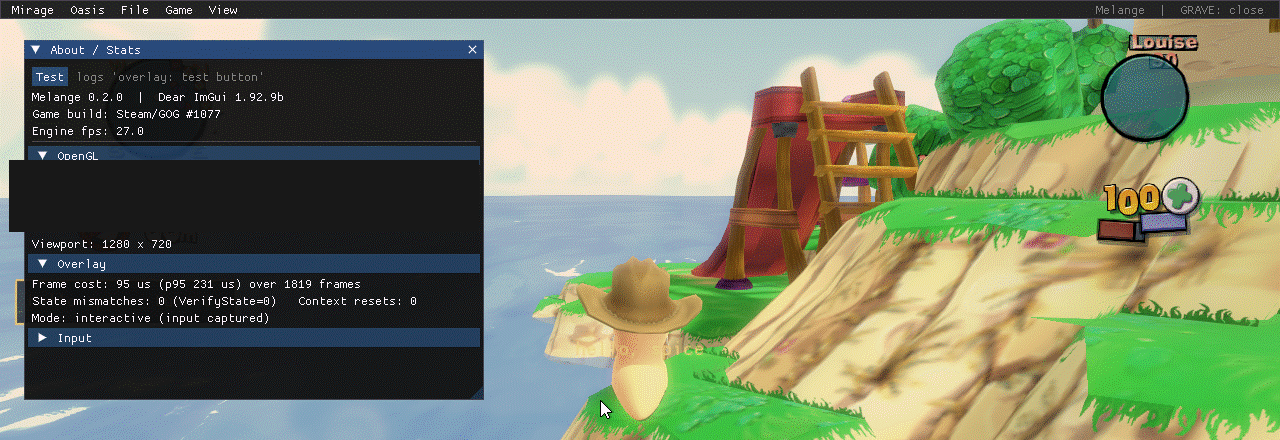
| Module | Default | What it does |
|---|---|---|
NetTransport |
on | Retransmits any lost packet, and re-acknowledges duplicates so a lost ACK can’t stall the peer |
NetSession |
on | Resets the match state the game leaves behind, and traces the match lifecycle |
Fixes |
on | Fixes crashes in the game itself, one switch each: closing the game after an online or LAN session (NetServiceExit) or during or after a match (AiServiceExit), and the /SEPIA launch option crashing at startup and not tinting the screen (SepiaSwitch), and joining a host whose game style is one this game lacks (SchemeCode); build #1077 only |
Diagnostics |
on | Crash handler, hang watchdog and minidumps |
Overlay |
on | The in-game overlay (ToggleKey, PassthroughKey) |
MouseFix |
off | Menu cursor stutter fix: skips the engine’s per-frame cursor re-centre while the frontend cursor is shown (aiming in a match is unchanged), keeps the cursor inside the window (Clip=1), and re-syncs the mouse after the overlay releases it. Local input only, nothing to agree with other players; build #1077 only (Probe=1 logs the gate) |
Controls |
on | Mouse look and aim options for mods (wum.input) and mouse smoothing (Controls); build #1077 only |
EventBus |
on | The engine message bus for modules |
Logging |
on | Structured JSONL session logs |
LogExport |
on | Log zips: one-click “Export last game’s logs” (Hotkey) and “Save logs as…” |
EngineLog |
on | Copies the engine’s own log into Melange.log |
SteamTrace |
on | Logs Steam lobby, P2P and callback activity |
NetTrace |
on | Logs raw Winsock calls |
WindowTag |
on | Shows the Melange version in the window title |
Display |
on (Fullscreen=0) |
Borderless fullscreen at the monitor’s resolution, switched live with View > Fullscreen or Hotkey (Alt+RETURN), remembered in Fullscreen and applied as soon as the game’s window is up (Fullscreen); Melange.exe’s Settings › Display writes it too. Build #1077 only |
Game |
off (LargeAddressAware=0) |
Opt-in 4 GB mode: Melange.exe sets the large-address-aware bit of WormsMayhem.exe at launch (Memory (4 GB)); Settings › Memory writes it. Does not affect multiplayer |
FrameInterval |
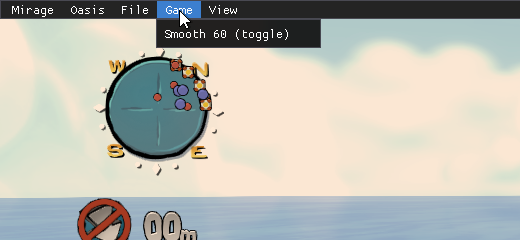
on | Sets the engine frame interval (IntervalMs=16 is about 60 fps); “Classic timing” (ClassicTiming=0) raises the OS timer resolution to 1 ms (timeBeginPeriod) for steadier pacing on systems that stutter at the default resolution. Switch it with Game > Classic timing in the overlay (checked while on) |
SmoothSixty |
on (On=0) |
“Smooth 60”: lifts the engine’s frame limiter and uses vsync. Switch it with Game > Smooth 60 in the overlay (checked while on) |
Mirage |
on | Graphics layer core: renderer access, scene stages for mods, mod folders |
MirageTrace |
on | OpenGL call statistics (Mode=count), frame capture (CaptureHotkey), texture dumper, GPU compatibility report |
MirageShaders |
on | Shader mods: replacements, patches, live reload, sliders; fixes the game’s FXAA on AMD and Intel (FixFxaa) |
MiragePostFX |
on | Post-processing effects from mods, applied to the world or the whole frame (ToggleKey bypasses them) |
MirageDraw |
on | Drawing API for modules: world-space lines, boxes, spheres and text, and HUD shapes, text and images |
MirageDebug |
off | OpenGL debug context: driver errors and warnings go to the logs and the Mirage/GL debug panel |
LuaConsole |
on | Overlay Lua REPL (Ctrl+Shift+F10, Lua/Console) for the client VM and, in a match, the match VM (off online unless MatchConsoleOnline=1) |
GameState |
on | Read-only game-state readers for Oasis and wum.game.worms() (worms, teams, match values, entities); build #1077 only |
Levels |
on | Map packs from content mods, Erg Test levels and the online map gate (Online, RandomPool, DevWater); installs nothing until a mod map or a Test level exists; build #1077 only |
Schemes |
on | Game styles and team-editor weapon presets from mods’ schemes and factoryWeapons files, written to Melange\cache\schemes\ and loaded over DATA.LockedSchemes and DATA.LockedWeapons at the frontend; installs nothing until an enabled mod declares one; build #1077 only |
Music |
on | Sudden-death music from mods’ music MP3s: a bank built under Melange\cache\music\ and handed to the game by a CreateFileA hook; installs the hook at start-up and does nothing until an enabled mod declares music; build #1077 only |
Audio |
on | Sound playback for mods (wum.audio, client VM only): WAV files from the mod folder mixed through XAudio2 2.9, loaded dynamically and started on the first sound; Volume=1.0 (master, 0 to 1), MaxVoices=32, Near=150 and Far=1500 (world units; positional sounds fall off linearly between them). Local presentation only: nothing reaches the simulation, the wire or the handshake; not tried in game yet |
Store |
on | The plugin store (Thumper/Store, the Oasis Store panel): fetches the list only when you open it (Plugin store) |
Oasis |
on | The local web app on 127.0.0.1 (oasis.md); nothing listens until you open it |
Wormsign |
on | The match’s tick clock and a per-tick state hash (wum.wormsign.tick()); records a rolling library of recent matches to Documents\Melange\replays (last 20 / 200 MB by default, wum.wormsign.library()), match replays checked tick by tick (Wormsign/Replay); online, it compares the hashes with other Melange players and reports the first tick where they disagree (wormsign.md); build #1077 only |
Update |
on (CheckInGame=1) |
At most once a day, about 10 s after the game starts and off the main thread, asks GitHub for the latest Melange release and shows a toast when it is newer (“it installs the next time you open Melange.exe”). Downloads nothing; the time of the last check is in Documents\Melange\update-check.json. Melange.exe’s Settings › Updates › Check for updates automatically writes CheckInGame (Updates) |
Controls
Section titled “Controls”[Controls] has Enabled (default 1) and SmoothMouse (default 1); Probe=1 logs the invert flags it finds and the raw mouse totals whenever they change.
SmoothMouse removes the mouse jitter the game has while aiming and looking. The game re-centres the cursor every frame, and that races with the window’s mouse-move messages, so the deltas it computes wobble. With the setting on, Melange reads the mouse with Raw Input instead (relative counts, only while the game window is in front and the overlay is not using the mouse) and hands those counts to the game’s own mouse code, scaled by the menu’s Sensitivity and with the fraction that rounding would drop carried over to the next event. If Raw Input cannot be registered, or no raw event ever arrives, the game’s normal input is used. If the raw counts stop while the game still sees the mouse move (another program took over the registration), Melange logs a warning, falls back to the game’s own input and registers again every few seconds; on versions before 0.9.0 set SmoothMouse=0 if the mouse cannot move the camera. It does not change the menu cursor. The Lua options of wum.input (invert, sensitivity, Blimp view) are not part of this setting: lua-api.md.
Lockstep safety: the module only changes local input on the sending side, before the game builds a mouse message, by editing the invert flag of the game’s own control mappings and the two numbers passed to the function that posts the message. Other players and Wormsign recordings receive the final values like any other input, and nothing is touched that the match simulation, the camera data (TWEAK), the save file or the receiving side reads, so no setting here can desynchronise a game.
Logs and bug reports
Section titled “Logs and bug reports”| Where | What |
|---|---|
<game>\Melange\Melange.log |
Plain-text log of the current run (Melange.prev.log is the run before) |
<game>\Melange\dumps\ |
Crash and hang minidumps (Documents\Melange\dumps\ when the game folder is not writable) |
Documents\Melange\logs\<session>\ |
Structured session log (events.jsonl) |
Documents\Melange\replays\desync-*.zip |
Desync bundles: what differed between two players, and at which tick |
To report a bug, export the last game’s logs and attach the zip. It takes one click, with no dialog:
- in the game:
Ctrl+Shift+F11([LogExport] Hotkey), or File > Export last game’s logs in the overlay; - with the game closed: Export last game’s logs on Melange.exe’s Help page (or under the status cards on Home).
The zip goes to the Desktop as Melange-logs-<YYYYMMDD-HHMMSS>.zip (Documents\Melange\exports when the Desktop is not writable). Windowed, Explorer opens with the zip selected; in fullscreen the game only shows a toast with the path, so it does not lose focus. Melange.exe shows “Saved to Desktop · Show in folder”.
“Last game” is one game process: the newest session folder (in the game, the running one), and with it
- every match recording (
wsr-*-p<pid>-*.wsr) and desync bundle (desync-*-p<pid>-*.zip) whose name carries that session’s pid, not just the newest. A recording cut off by a crash goes in as far as it reads (redacted like the rest) and is marked"incomplete": trueinmanifest.json; one with nothing in it is listed underabsentwith the reason (empty: the game crashed before the recording was written); - the minidumps (from both dump folders) and the engine’s XOM/Net logs written during that session (its folder name to its last write, plus 15 minutes);
Melange.logandMelange.prev.log, Melange.exe’slauncher.logandlauncher.1.log(from%LOCALAPPDATA%\Melange);- the
.inifiles, the mods (mods/spice.json: each mod’s id, name and version;thumper-state.json; the Store’sinstalled.json; the.asiplugins) andsystem.json. From inside the game it also has the GPU report and the installed modules.
manifest.json records which game it is (game.sessionId, game.pid, its time window) next to the size and SHA-256 of every file. File > Save logs as… is still there: a save dialog and the newest Sessions (default 3) session folders with the newest bundle and recording, whichever game they came from; in fullscreen it writes to Documents\Melange\exports. Both exports, in the game and in Melange.exe, go through the same code (src/tools/log_export_core.cpp) and the same redaction: the Windows user and computer names are replaced, and SteamIDs and IP addresses are replaced with a hash that is different in every zip (recordings included). For scripted tests, the automation verbs savelogs <path.zip> (Save logs as) and savelogs-last [<path.zip>] (the one-click contents; without a path, to the Desktop, without Explorer or a toast) write the zip in the background.
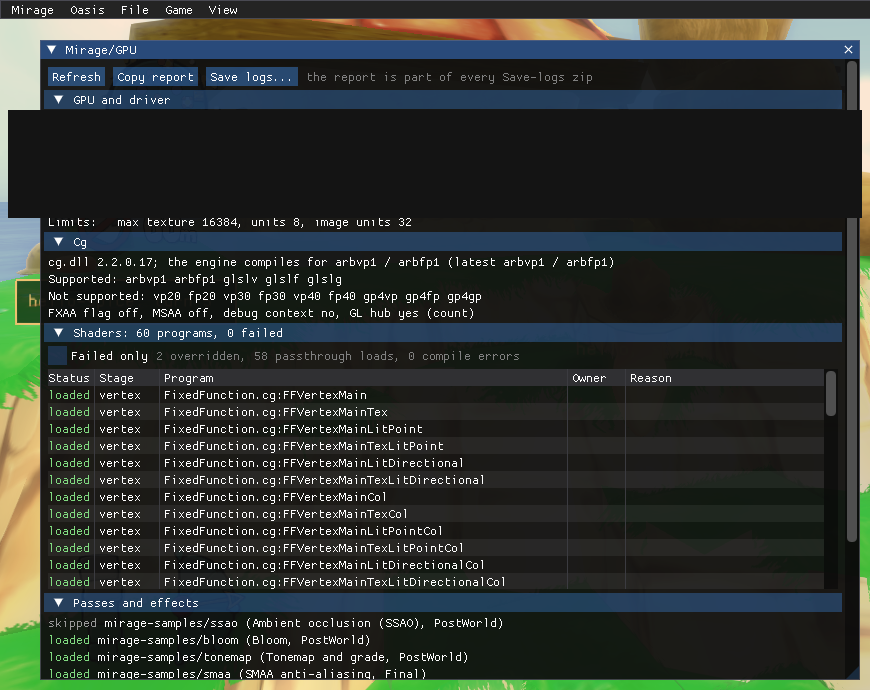
The zip includes a GPU compatibility report (gpu/compat.txt): graphics card, driver, OpenGL version and extensions, the Cg shader profiles your card supports, and which shaders and effects loaded or were skipped and why. The overlay panel Mirage/GPU shows the same report.
Reading a crash in Melange.log
Section titled “Reading a crash in Melange.log”A crash is logged as ==== CRASH: exception <code> at <address>, the registers and a heuristic call stack (return addresses found on the stack, so a few lines can be stale), then minidump: <path>, or minidump: (failed) with each folder tried and its Win32 error or MiniDumpWriteDump HRESULT. The dump is written by a thread the Diagnostics module starts with the game, not by the crashing thread, and carries a comment stream with the same summary. [Diagnostics] FullMemoryDumps=1 makes full-memory dumps.
The header says which kind of crash it is:
[first fault]: the exception itself was not handled.[handler fault: raised while an earlier exception was being handled]: an exception handler crashed, often the game’s own while it handled another fault. The fault it was handling follows asFIRST FAULT ..., with its own registers and stack; that one is usually the real bug. Melange finds it on the stack (the outer exception’s dispatch frame) or in the last few exceptions each thread raised, which a vectored handler keeps (code, address and registers only; it never handles anything).an earlier exception on this thread, N ms before (it was handled; may be unrelated): the last exception before the crash, for context.
With a match in progress, the crash also hands the recording’s buffered ticks and inputs to its writer and logs recording: ... on disk: <path>, so the .wsr keeps the match up to the crash (it reads as incomplete). To try the crash path on purpose, set [Diagnostics] SelfTestCrashAtFrame=<n>: an access violation at that frame (SelfTestCrashKind=1: one inside an exception filter that is handling another, a handler fault). abort(), a pure virtual call, an invalid CRT parameter and std::terminate end the process with a fast-fail that skips the exception filter, so Melange also catches them (SIGABRT, purecall, invalid-parameter and terminate handlers) and writes the same CRASH line, stack and minidump; try them with SelfTestCrashKind=2 (abort()), 3 (an exception escaping a detached thread, as an unguarded worker would) 4 (a pure virtual call) and 5 (a std::bad_alloc thrown out of a frame subscriber: events::Fire catches it, logs an out of memory ERROR with the address-space state, and the game goes on; the log also gets an address space: line at startup, a WARN when the largest free block drops below 128 MB, and the same line in every CRASH report).
Graphics layer (Mirage)
Section titled “Graphics layer (Mirage)”Mirage lets modules and mods draw inside the game’s own frame. melange/render.h gives the main camera, window size and frame timing, and runs callbacks at fixed points of the engine’s draw list:
| Stage | Where it runs |
|---|---|
World |
after the landscape, sea and worms, before particles (the depth buffer holds the world) |
WorldLate |
after particles, before worm labels and the HUD |
PostWorld |
same point, after the WorldLate callbacks: post-processing that leaves labels and HUD alone |
Hud |
after the HUD, before the final copy to the screen |
Final |
just before the final copy to the screen |
Callbacks run in the main render pass only, with the game’s framebuffer bound. Wrap your GL work in render::PushState() / PopState(). With no stage callbacks or mods asking for one, the scene stages themselves patch nothing and the frame is pixel-identical to the game without Mirage. The GL trace hub is separate and installs its call-counting thunks whenever [MirageTrace] Mode is count (the default) or log; set it to off for a frame with no Mirage hooks at all.
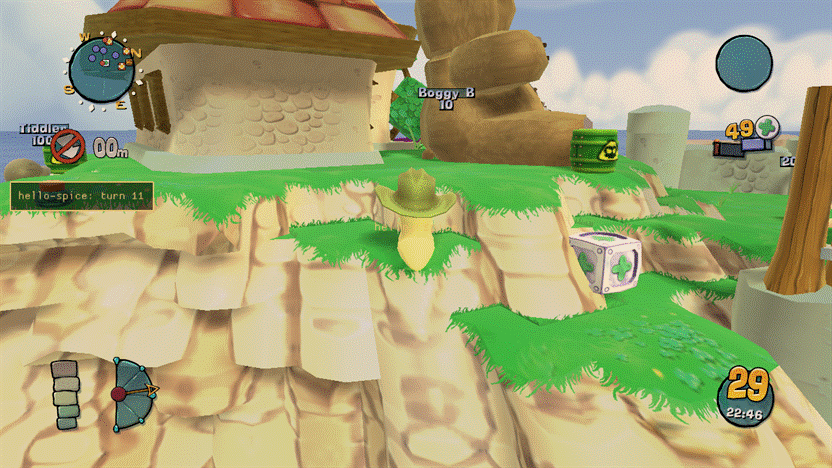
MirageDraw demo off |
MirageDraw demo on |
|---|---|
 |
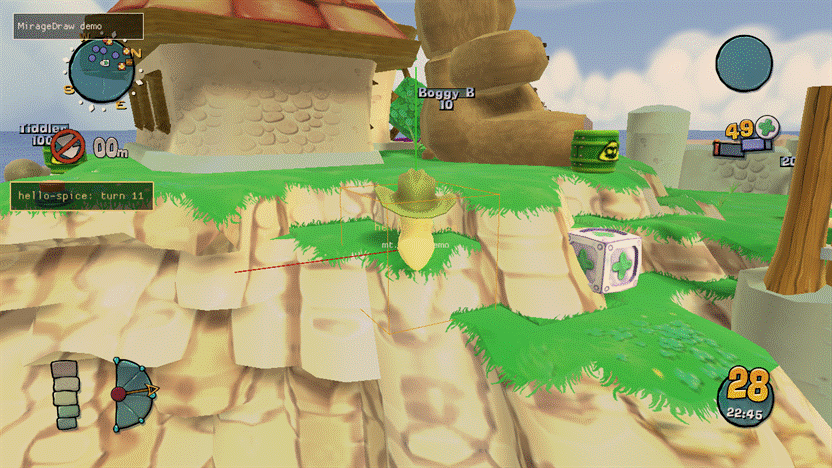 |
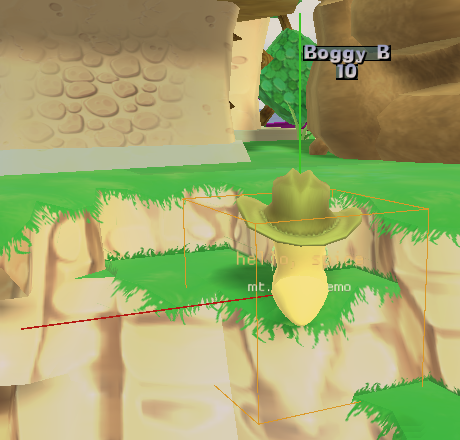
Mods live in <game>\Mods\<id>\. When two mods provide the same file, the later folder name wins. [Mirage] DisabledMods=a,b switches mods off, and ModsDir moves the folder.
GL trace and frame capture
Section titled “GL trace and frame capture”MirageTrace counts every OpenGL call the game and its Cg runtime make. The overlay panel Mirage/GL shows calls, draw calls, shader switches and frame time per frame, and the busiest functions. [MirageTrace] Mode is count (the default: one counter per call), log (records every call), or off (no hooks at all; switching back needs a restart).
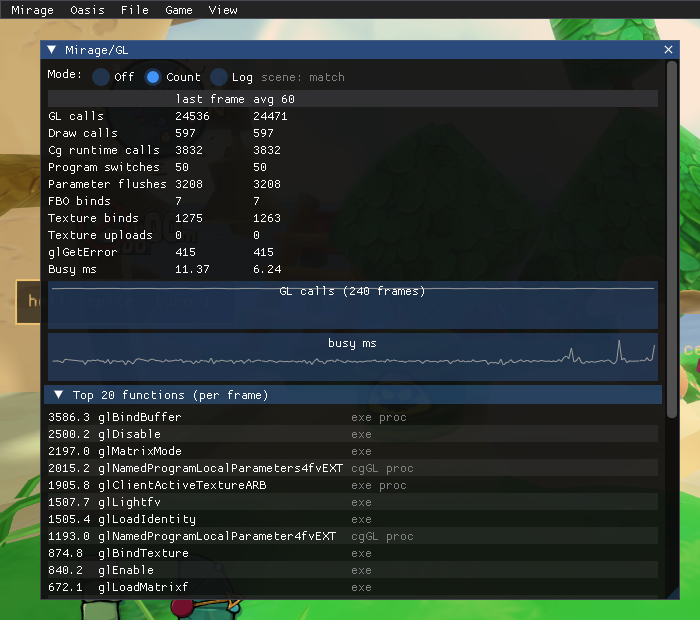
Capture frame (or Ctrl+Shift+F9) records one frame into Documents\Melange\captures\*.mcap: every call with decoded arguments, the GL state, the compiled shaders, the bound textures and the final image. The format is a plain zip, described in capture-format.md. Dump next 50 textures writes the next textures the game loads to Documents\Melange\textures\ as PNG. Captures and dumps contain the game’s textures, so they stay on your PC and are never part of a logs export.
GPU timers
Section titled “GPU timers”[Mirage] GpuTimers=1 (the default) brackets the swap-to-swap frame and each stage in the table above with a pair of
GPU timestamp queries (only stages with at least one registered callback are timed that frame). The Mirage/GL
panel’s GPU timers section lists them, and melange::gltrace::GetGpuTime(GpuRegion) (melange/gltrace.h) reads
them from C++; the gltrace.gpu console verb logs all six at once. A region reads n/a until its first result has
come back from the GPU (the queries are triple-buffered, so that’s normally a couple of frames), and again once its
stage has not been timed for 8 frames (no callbacks, so its last value is not shown forever). This is separate
from Post-FX’s own per-effect timers (melange::postfx::EffectInfo::gpuMs, shown in Mirage/Post-FX): these time
Mirage’s own stage machinery and mod callbacks, not any one effect.
A timestamp is taken when the GPU reaches it, so a region is GPU wall time: it includes any time the GPU sat idle waiting for that region’s commands. Mirage flushes right after each stage’s end timestamp, so a stage is not charged for whatever the CPU does after it (Frame-event work, log writes, a Lua call, a turn change) while the driver holds the rest of the frame back; without that, a 0.6 ms PostWorld read 5-10 ms on an idle-ish AMD GPU. The swap region spans the whole frame and still counts the gaps between the driver’s submissions, so on a GPU that is mostly waiting for the game it shows when the frame finished on the GPU more than how busy the GPU was.
Shader mods
Section titled “Shader mods”The game’s shaders are the Cg files in <game>\CG\. A mod changes them from its shaders\ folder, without shipping the game’s files:
-
shaders\<file>replaces a whole file, such asLandscape.cg, or a file it includes, such asFxaa3_9.h. -
shaders\<file>.patchedits the game’s file with find/replace blocks. Eachfindblock must match exactly once; otherwise the patch is skipped and the error is logged. An optional first line@@ entry <pattern>limits the patch to some programs (*and?wildcards).@@ entry *FragmentMain@@ findconst float specularPower = 20.0f;@@ replaceconst float specularPower = 40.0f;@@ end -
shaders\params.initurns uniforms into sliders in the overlay’s Mirage/Shaders panel. A section names the file and the programs,[Landscape.cg:*FragmentMain], and each line isname=type,default,min,max,labelwith the typefloat,vec2,vec3,vec4orcolor. Modules set the same values withmelange::shaders::SetParam, and add folders of shader files withAddOverrideRoot.
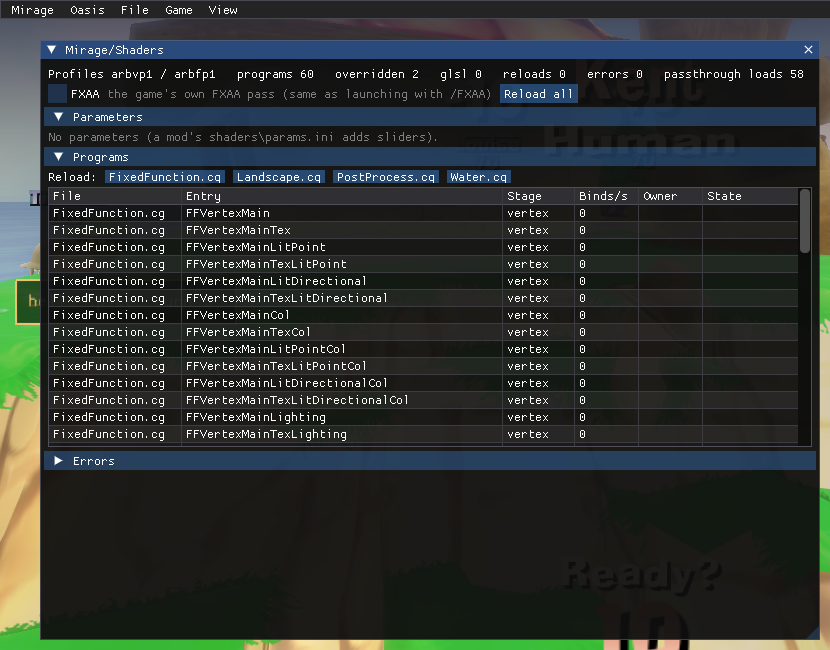
Saving a file reloads the shaders that use it while the game runs. The new source is compiled first: if it has errors, the game keeps the running shader, and the errors go to the log and the panel.
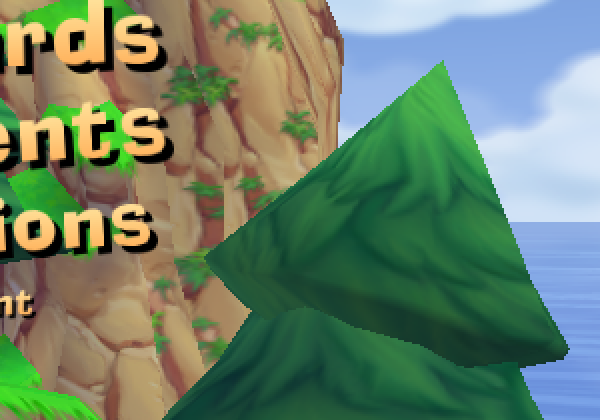
[MirageShaders] FixFxaa=1 (the default) fixes the game’s own FXAA pass (the /FXAA launch option), which does not compile on AMD and Intel GPUs. The panel, and Mirage > Shaders > FXAA in the overlay menu (checked while on), also switch FXAA on and off while the game runs.
FixFxaa off |
FixFxaa on |
|---|---|
 |
 |
Mods\mirage-landscape\ is a sample: it adds tunables to the landscape lighting and softens the shadow edges. It is listed in DisabledMods by default; remove it from that list to try it. Experimental: a file shaders\<File>.<Entry>.glsl replaces one program with GLSL, keeping the Cg parameter names (GlslReplace=1, read at start). Mods\mirage-landscape\extras\ has a GLSL version of the landscape pixel shader. Each GLSL replacement can be switched off at runtime, no restart needed: the Mirage/Shaders panel’s GLSL column checkbox (shown whenever a replacement file exists for that program), or melange::shaders::SetGlslEnabled(file, entry, on). The choice is persisted to [MirageShaders] GlslDisabled.
Texture clarity
Section titled “Texture clarity”MirageTextures applies 16x anisotropic filtering, a trilinear minification filter and an optional negative LOD
bias at the engine’s own texture uploads. It changes nothing by default (vanilla filtering): a client-only mod asks
for it through its spice.json’s graphics block,
"graphics": { "anisotropy": 16, "trilinearFilter": true, "lodBias": -0.25 }and [MirageTextures] in Melange.ini always has the final say over every enabled mod’s request:
[MirageTextures]Anisotropy=auto ; auto | an integer 0-16Trilinear=auto ; auto | on | offLodBias=auto ; auto | a number from -8 to 8auto follows the strongest merged request among enabled mods (the highest anisotropy, trilinear if any mod wants
it, the sharpest requested LOD bias), or vanilla if none ask for it. Enabling or disabling a requesting mod applies
at once: every texture seen so far is swept back to the new effective settings. The mirage.textures console verb
logs the effective settings, whether the upload hook is installed, and how many textures it has touched. The
sunstone plugin ships this layer.
Shadows
Section titled “Shadows”The game renders one shadow map for the whole level, 1024² by default (its own /SHADOWMAP cfg option). A
client-only mod asks for a larger one in the same graphics block, and MirageShadows applies the largest request
among enabled mods:
"graphics": { "shadowMapSize": 2048 }The size is 512, 1024, 2048 or 4096. Nothing changes unless a mod asks for it. [MirageShadows] in Melange.ini
always has the final say:
[MirageShadows]ShadowMapSize=auto ; auto | vanilla | 512 | 1024 | 2048 | 4096A request known at start is applied before the game creates its shadow map. Enabling or disabling a mod, or a
script’s wum.graphics.setShadowMapSize, rebuilds the shadow map once on the next frame; going back to no request
restores the game’s own size. The mirage.shadows console verb logs the effective, vanilla and current sizes.
Filtering is up to the landscape shader. A GLSL replacement (shaders\Landscape.LandscapeFragmentMain.glsl and
Landscape.HeightMapFragmentMain.glsl) samples shadowMap as a sampler2DShadow (hardware depth compare with
bilinear filtering) and gets the map size in shadowSize. Its own tunables are uniforms with no Cg parameter: declare
them in the mod’s shaders\params.ini and Melange feeds them the slider values (float, vec2, vec3, vec4).
A script changes them with wum.shaders.setParam, and pauses or resumes its own replacements with
wum.shaders.enableGlsl. A replacement can also read the other stage’s Cg parameters by their Cg name: a fragment
replacement that declares uniform mat4 view; gets the vertex program’s view matrix (Cg rows become GLSL columns,
so view[1].xyz is the world’s up axis in eye space). The sunstone plugin uses this for its soft shadows and
lighting.
A name that neither stage has is looked up in the game’s other programs and fed from whichever of them the engine
updated last: the water replacement declares uniform vec3 globalLightDir; to get the landscape’s sun direction.
A replacement may also read the scene as it was just before the program first draws into a colour target in the
frame: sampler2D mg_depth (the depth buffer, in [0,1] as stored), sampler2D mg_scene (the colour) and
vec2 mg_nearFar, with the main camera as mat4 mg_view and mat4 mg_proj (as in post-FX). The copies are taken
once a frame, at that first draw, and use texture units 14 and 15. vec2 mg_renderScale is the scene’s size over the
window’s (see Supersampling below), for fades that count texels per pixel.
Supersampling
Section titled “Supersampling”The game’s /SSAA:<n> cfg option (2, 4, 8 or 16 samples: 1x2, 2x2, 2x4 or 4x4) has two modes. By default it
renders into multisampled framebuffers at window size, which is multisampling rather than supersampling. With
/DISABLEHARDWAREAA it renders the scene at that multiple of the window size and scales it down when it copies the
frame to the screen. Post-FX and the mg_scene/mg_depth copies work in both modes.
A client-only mod asks for true supersampling from its script, and MirageSupersample applies the largest request
among enabled mods:
wum.graphics.setSupersample(4) -- 2x2; 2 for 1x2; 0 or nil to drop the requestMods can ask for 2 or 4 samples. The scene targets are rebuilt on the next frame (the game’s own switch, the one its
DEBUG.ChangeSSAA command uses), FXAA is switched off while it is on, and dropping the request brings back the
game’s own /SSAA and FXAA settings. Nothing changes unless a mod asks. [MirageSupersample] in Melange.ini has
the final say:
[MirageSupersample]Samples=auto ; auto | vanilla | off | 2 | 4 | 8 | 16At 2x2 everything in the scene, Mirage’s post-FX included, shades four times as many pixels, and every scene-sized
target takes four times the memory: at 1920x1080 the game’s own targets grow by about 150 MB, about 350 MB in all
with a full post-FX stack. The mirage.supersample console verb logs
the effective request, the engine’s factors and the scene size.
Fullscreen
Section titled “Fullscreen”The Display module (src/render/display.cpp, pure logic in src/render/display_logic.h) gives the game a
borderless fullscreen: View > Fullscreen in the overlay (checked while on), Hotkey (Alt+RETURN by default; none
turns it off; it runs from the overlay’s hotkey path, so it needs [Overlay] Enabled=1), and Fullscreen=1 under
[Display] to start that way. Switching in game writes Fullscreen, so the choice holds at the next start.
- The window. Melange restyles the game’s own window as a popup without a frame (
WS_POPUP, caption, border and system menu off) and sizes it to cover its monitor (MonitorFromWindowandrcMonitor); leaving restores the saved style and rect, or centres it on the monitor’s work area when the saved rect is no longer on any monitor. There is no display-mode change (ChangeDisplaySettings), and the window and GL context stay the same ones: the engine’s ownXOpenGLRenderManager::ChangeDisplay(0x6f6003) re-creates both, so Melange never calls it. The window is not topmost, soAlt+Tabworks as with any window. The game is DPI-unaware: on a scaled display it sees, and covers, the monitor’s logical size, and Windows scales the picture up. - Native resolution, live. The engine sets its window viewport once, when it opens the display, and
PCPostProcesscaches it (pp+0x68) when it builds its scene targets (CreateTargets0x61f190readsGL_VIEWPORT, then sizes the scene from it);Compositerestores that viewport every frame. On the frames after a switch,Displaysets the GL viewport to the new client area and queues the engine’s own target rebuild, the switchMirageSupersampleuses (supersample::RebuildTargets,pp+0x78). 3D, HUD and menus then draw at the new size. It checks that the cached viewport took the new size (3 tries), and every 2 s that the borderless window still covers its monitor and the viewport still matches. - Supersampling. The rebuild lands on the supersampling Melange wants (a mod’s request or
[MirageSupersample]) when the scene, at the new size times its factors, fits the GPU’s largest texture; otherwise on the engine’s current factors, otherwise 1x1, and the log says so. Going back to the window tries the request again. - Exclusive fullscreen. A game started with the stock launcher’s
/FS(inlocal.cfg) changed the display mode itself;Displaysees a captionless window that already covers the monitor and stays off for that session. Settings › Display inMelange.exeremoves/FSwhen you turn Melange’s fullscreen on. - Alt+Enter. The game has no Alt+Enter of its own (
XomWndProcleavesWM_SYSKEYDOWNtoDefWindowProc). As a hotkey, the key never reaches the game’s DirectInput or its window procedure, and the overlay also drops the Alt release that follows, so a window with a system menu doesn’t go into menu mode.
The display.fullscreen 0|1|toggle and display.info test verbs switch it and log the window, monitor, viewport and
scene size.
Post-processing effects
Section titled “Post-processing effects”An effect is a folder <game>\Mods\<id>\postfx\<effect>\ with an effect.ini and GLSL fragment shaders. Its id is <id>/<effect>. Effects run at one of two stages:
PostWorldchanges the world only: worm labels and the HUD are drawn on top afterwards.Finalchanges the whole frame, just before the game copies it to the screen. The game’s own FXAA and sepia still apply afterwards.
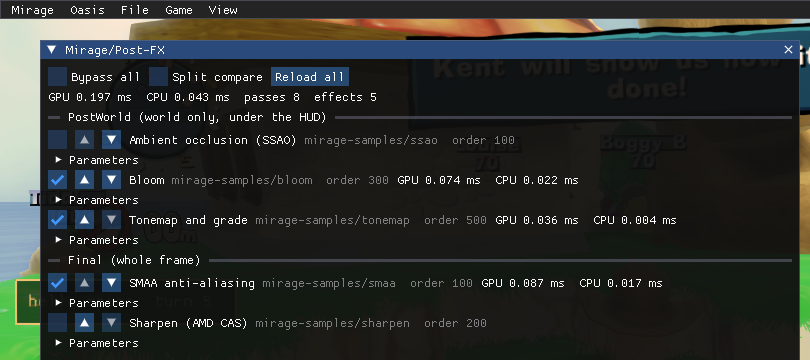
Open the overlay’s Mirage/Post-FX panel to switch effects on, change their order, drag their parameters and see what each one costs on the GPU. Split compare shows the left half of the screen without the effects. Ctrl+Shift+F8 ([MiragePostFX] ToggleKey) or Mirage > Post-FX > Enabled in the overlay menu (checked while the effects run) bypasses the whole stack. Your choices are saved in [MiragePostFX] in Melange.ini. Editing an effect’s files while the game runs reloads it. A shader that fails to compile is reported in the panel and the log, and the other effects keep running. So is one that compiles and then draws nothing: a graphics driver can accept a large shader without an error and produce a program that does not draw, so after each compile Melange checks the output of an effect’s runs until its last pass has written pixels, and fails the effect if it has written none for three seconds. A warning the driver gives for a shader that compiled is logged too.
[effect]title=Bloomstage=PostWorld          ; PostWorld | Finalorder=300                ; lower runs first; ties by idenabled=0                ; the default until the player changes it
[param.threshold]        ; uniform float p_thresholdtype=float               ; float | vec2 | vec3 | color | int | booldefault=0.8min=0max=2label=Thresholdhidden=0                 ; 1 keeps it out of the overlay panel (for values a script sets)
[texture.lut]            ; uniform sampler2D t_lut, a PNG from the effect folderfile=lut.pngfilter=linear            ; linear | nearestwrap=clamp               ; clamp | repeat
[pass.extract]shader=extract.fragscale=0.5                ; size relative to the sceneformat=rgba16f           ; rgba8 | rgba16f | r8 | rg8inputs=scene             ; scene, depth, prev, pass.<name>, texture.<name>
[pass.blurh]shader=blur.fragdefines=HORIZONTAL=1     ; prepended as #define linesscale=0.5inputs=prev
[pass.combine]           ; the last pass writes the effect's output at scene sizeshader=combine.fraginputs=scene,pass.blurh
Shader rules:
- Fragment shaders only. The file’s own
#versionis used, or#version 120if there is none. Mirage supplies a full-screen vertex shader that writesvec2 mg_uv(0..1, origin bottom-left). Declare it asvarying vec2 mg_uv;in GLSL 1.20, orin vec2 mg_uv;in 1.30 and later. - Samplers are named after the inputs:
mg_scene,mg_depth,mg_prev(the previous pass, or the scene for the first pass),mg_pass_<name>andt_<name>. Every sampler a shader uses must be listed in that pass’sinputs=. mg_depthis the game’s depth buffer, in [0,1] as stored.- Parameters are
uniform <type> p_<name>. A script sets them withwum.postfx.setParam, which is saved toMelange.ini, or withwum.postfx.setTransient, which is not. Sethidden=1on a parameter that only a script drives, so the overlay does not list it. Optional built-in uniforms:vec4 mg_resolution: width, height, 1/width and 1/height of this pass’s target;vec4 mg_sceneResolution: the same for the scene;vec2 mg_renderScale: the scene’s size over the window’s, 2.0 per axis at 2x2 supersampling. Multiply pixel-sized radii by it so that an effect looks the same on screen at any supersampling;float mg_time,float mg_frame;mat4 mg_proj,mat4 mg_invProj,mat4 mg_view: the main camera;vec2 mg_nearFar: the near and far clip distances.
#include "file"pastes a file from the effect folder.- An effect’s last pass must write every pixel. Passes do not blend onto their target, so a pixel that is left out (with
discard, for example) does not keep the scene, and an effect whose last pass writes nothing is failed by the check described above. - Keep shaders small. GLSL has no real function calls, so a long function used once per slot of a list is expanded that many times, and a program that large can link and then draw nothing on some drivers. Pick the one candidate with a short test per slot and run the long code once.
- Textures are uploaded top row first, so
v = 0is the top row of the PNG.
C++ modules can add a pass of their own with postfx::AddCodePass. It draws a full-screen pass that reads ctx.srcColor (and ctx.srcDepth) into the framebuffer already bound.
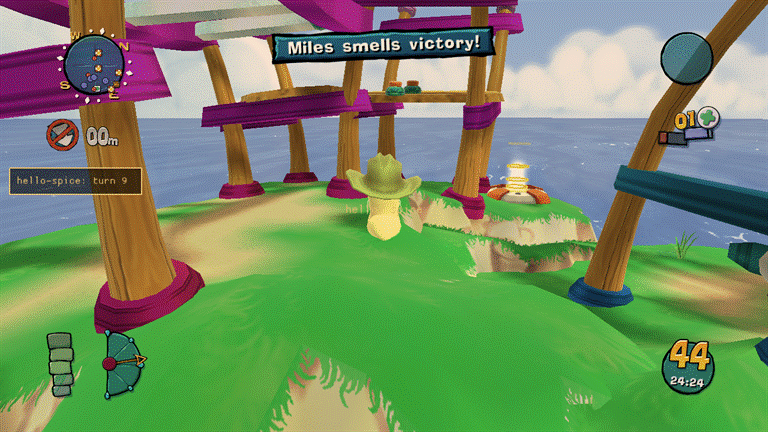
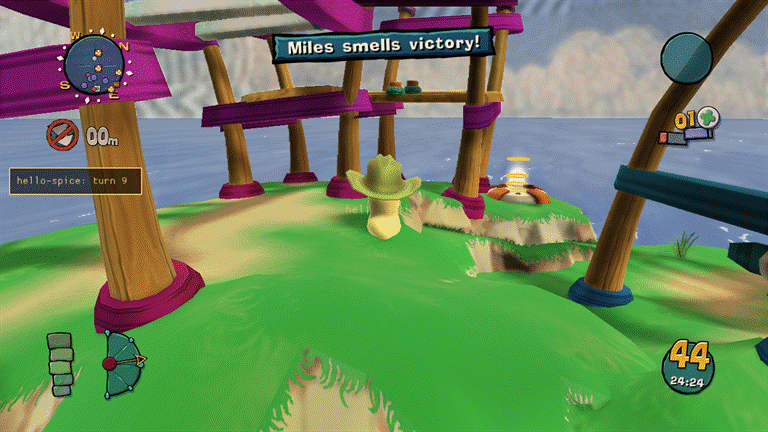
The mirage-samples mod in dist\Mods\ has five example effects, all switched off by default:
| Effect | Stage | What it does |
|---|---|---|
smaa |
Final | SMAA 1x anti-aliasing (iryoku/smaa, MIT). Use it instead of /FXAA, not with it. |
sharpen |
Final | AMD FidelityFX Contrast Adaptive Sharpening (FidelityFX-CAS, MIT) |
ssao |
PostWorld | Ambient occlusion from the depth buffer |
bloom |
PostWorld | Glow around bright areas |
tonemap |
PostWorld | A filmic curve plus exposure, contrast, saturation and a colour-grading LUT (lut.png) |
ssao off |
ssao on |
|---|---|
 |
 |
bloom off |
bloom on |
|---|---|
 |
 |
tonemap off |
tonemap on |
|---|---|
 |
 |
smaa off |
smaa on |
|---|---|
 |
 |
The SMAA and CAS folders carry their licence files.
Mods (Thumper)
Section titled “Mods (Thumper)”Thumper discovers mods under <game>\Mods\<id>\. A folder with a spice.json manifest is a Spice mod
(schema in spice.md, machine-readable as spice-1.schema.json);
a folder without one still loads, unchanged, as a client-only mod named after its folder — older
Mods\ folders with only shaders or post-FX keep working unchanged.
{ "spiceVersion": 1, "id": "hello-spice", "version": "1.0.0", "name": "Hello Spice", "melange": { "range": ">=0.3.0 <0.4.0" }, "kind": "client-only", "entry": { "client": "client/init.lua" }}kindisclient-only(never touches the simulation or the wire) orcontent(adds simulation behaviour or engine message names; must match on every peer in an online match).- Dependencies, conflicts and load order come from
dependencies,optional,conflictsandloadAfter, each a mod id with an optional semver range (weapon-toolkit >=2.0.0 <3.0.0). A missing or version-mismatched dependency blocks the mod and names the fix; a dependency on a blocked mod is blocked too (“blocked because X is blocked”); a cycle blocks every mod in it with one shared reason. Ties between mods with no ordering edge between them are broken by id, ascending — the same input always resolves to the same order. permissions.unsafe: trueasks for Deep Desert: raw memory read/write and calling game functions fromwum.unsafe(client VM only). Enabling such a mod opens a consent modal; declining still loads the mod, just withwum.unsaferaising instead of working. A small “Deep Desert active” marker stays on screen, even with the overlay hidden, while any granted unsafe mod is enabled.- Client-only mods toggle live. A content mod’s message names are registered once per launch and never unregistered, so enabling or disabling one takes effect at the next launch (the Mods page shows “restart required” until then). The exception is a pack of maps only, which can change live at the main menu (see Map editor).
- Choices are saved to
Mods\thumper-state.json(falling back toDocuments\Melangeif the game folder is read-only). The overlay’s Thumper/Mods panel lists every mod with its state and reason, and Thumper/Deep Desert lists every grant. - Store and local plugins. A plugin with a record in
Mods\.store\installed.json(whatever version), or a map pack an installed Store importer generated, is a Store plugin; any other is local. The Thumper/Mods panel, the Oasis Mods panel and Melange.exe’s Plugins page list only Store plugins until Show local plugins is ticked (showLocalinthumper-state.json, shared by all three), with a hint such as “3 local plugins hidden (1 on)”. This is display only: a hidden plugin keeps its switch and still loads. - Compatibility sweep. A plugin this Melange can never load (broken
spice.json, unknownspiceVersion, malformed or unmetmelange.range) is moved out ofMods\before Thumper’s first scan, and by Melange.exe when it opens a game folder the game is not running from: a local one toMods\.incompatible\<folder>\, a Store one is updated or removed through the Store engine (store::Reconcile). Every action is logged ([compat],[store], jlogthumper.quarantine) and leaves a notice the three pages show until dismissed. Details: spice.md. The shared code issrc/store/compat.cpp; in Melange.exe,launcher::storehost::RequestSweep(version)(any thread) orSweepNow(version)runs it against another version, e.g. one an update just installed.
[Thumper] keys beyond the ones above: SweepIncompatible (1; 0 leaves incompatible plugins in place, unloaded).
dist\Mods\ includes hello-spice and sim-sampler as disabled samples (defaultEnabled: false); a
newly discovered mod without that flag starts enabled.
Plugin store
Section titled “Plugin store”The Store installs mods from a curated list, the melange-plugins repository: every plugin there was reviewed in a pull request, its release zip was packed by that repository’s own workflow, and the list pins each zip’s SHA-256. Open Thumper/Store in the overlay (or the Store button on Thumper/Mods), or the Store panel in Oasis.
- Privacy. The list is fetched from GitHub only when a Store page opens or you press Refresh; screenshots only
when you open a plugin’s details; a zip only when you install it. Nothing runs on a timer, and at start-up only one
thing does: when Melange.exe finds a Store plugin that this Melange cannot load, it fetches the list and the
version that can (the compatibility sweep, see Mods (Thumper)). The game never does. Nothing about you or
your game is sent: the requests are plain HTTPS
GETs with the user agentMelange/<version>and no cookies, credentials or query strings. GitHub sees your IP address, as with any download. - What an install does. The zip is downloaded to
Mods\.store\dl\, its length and SHA-256 must match the list, every entry is checked before a byte is written (no absolute or..paths, links, device names, hidden files, executables, or entries larger than they claim), and it is unpacked intoMods\.store\stage\. Itsspice.jsonmust name the same id, version, kind and permissions as the listing (a zip cannot ask for more than its listing showed). Only then is the folder moved intoMods\<id>\in one rename. Any failure leavesMods\as it was. - When changes apply. Client-only plugins install, update and remove live. A content plugin that is active this session is updated or removed at the next launch (“Applies at the next launch”); a new content plugin installs now and shows restart required, as enabling one does. Installs, updates and removes are refused in a lobby, a network game or a match, while a level loads and while an Erg Test runs; browsing and Refresh always work.
- Deep Desert. A plugin that asks for it says so before anything is downloaded, runs sandboxed until you allow it in the overlay’s consent prompt, and asks again after every update. Oasis can never grant it.
- Your data. Settings (
[Mod.<id>]inMelange.ini), saved data andMods\<id>\user\are kept across updates. Remove keeps them unless you tick “Also delete its settings and saved data”. - Older versions and withdrawn ones. An older version is never installed by itself: Details > Versions offers Install this version with a confirm. A version the list marks as withdrawn is never offered. If a fetched list is older than one seen before, updates and installs are disabled until a newer list arrives.
- A mod you put in
Mods\by hand shows as “Installed manually”; the Store replaces it only after a confirm, and never removes it. - Plugins that stop loading. A Store plugin this Melange cannot load is updated to a version that can, or removed when the list has none, by the compatibility sweep (see Mods (Thumper)).
[Store] in Melange.ini:
| Key | Default | Meaning |
|---|---|---|
Enabled |
1 |
0: no Store pages, no methods, no network code. |
IndexUrl |
the melange-plugins list on GitHub | For testing a list of your own: https:// or file:///C:/... (then zips and screenshots may be file:/// too). Anything else is refused and the default is used. A custom list shows a yellow “Custom index” line on both pages. |
MaxDownloadMB |
64 |
The largest zip the Store downloads (1-256). |
ShowIncompatible |
0 |
Also list plugins with no version for this Melange or game build, with the reason. |
The Store keeps its files in Mods\.store\ (Thumper ignores folders that start with a dot): installed.json (what
it installed, by version and hash), the last fetched list for offline display, a screenshot cache, and
pending.json for changes waiting for the next launch. Deleting the folder makes every plugin count as manually
installed (and so local, hidden on the Mods pages until Show local plugins). To publish a plugin, see the melange-plugins repository’s CONTRIBUTING.md; tools/store.py pack there
builds the exact zip the Store will install, so you can drop it into Mods\ and test it first.
Lua scripting
Section titled “Lua scripting”A mod folder can carry a Lua 5.4 script for the client side, named by entry.client in its spice.json. Melange runs it in the Sandbox: each mod has its own globals, the standard library is limited (no files, no load, no debug), and a runaway script is stopped by an instruction and memory budget without stopping the game. Scripts reach the game through the wum table: engine and mod events, timers, settings, per-mod storage, overlay panels, world and HUD drawing, the camera, and post-FX parameters. When a script file changes, the mod reloads; if the new version fails, the old one keeps running. The full reference is lua-api.md.
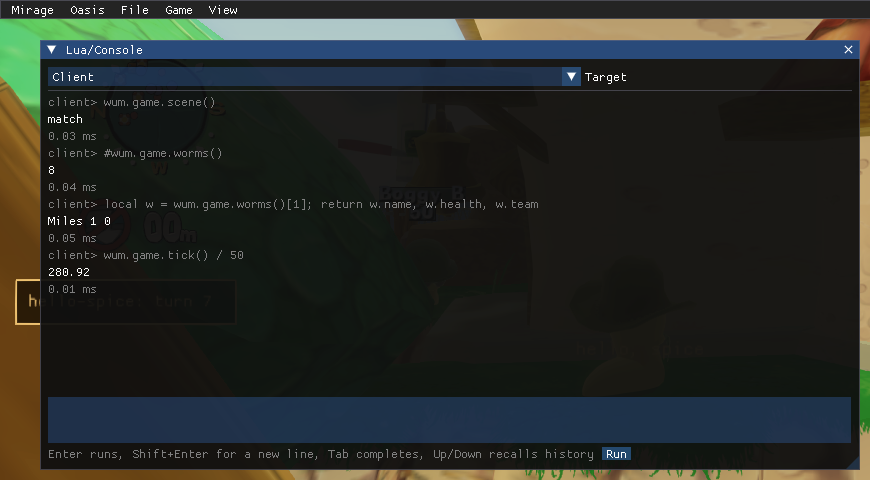
Two sample mods in dist\Mods\ ship switched off:
| Mod | What it shows |
|---|---|
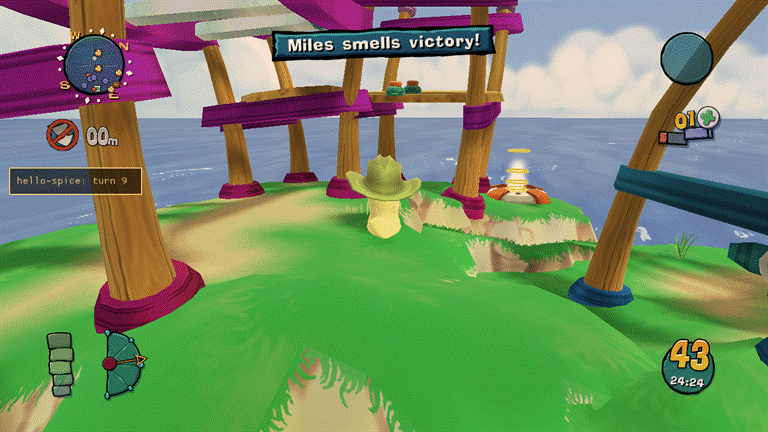
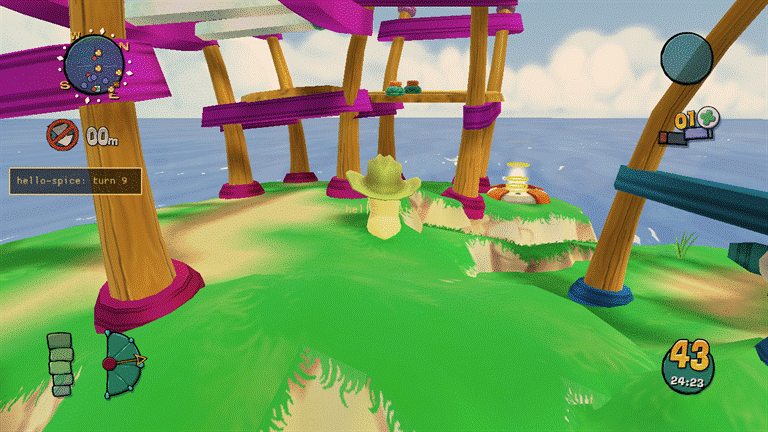
hello-spice |
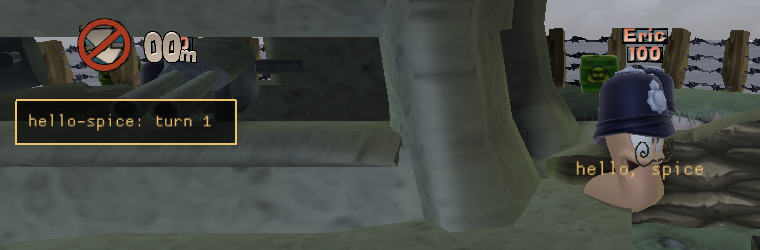
Events, logging, a HUD widget, a world label, an overlay panel with a setting, timers, storage and hot reload |
deep-desert-demo |
The Deep Desert permission: with the player’s consent it reads the game’s build stamp through wum.unsafe |
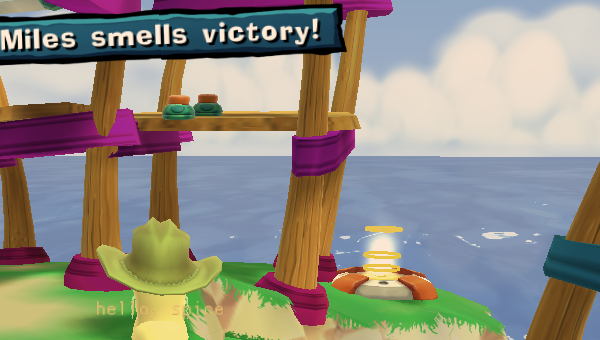
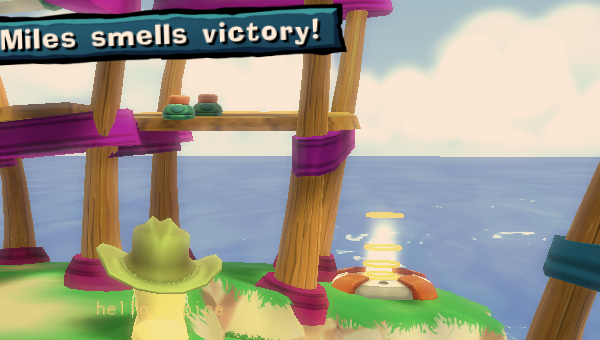
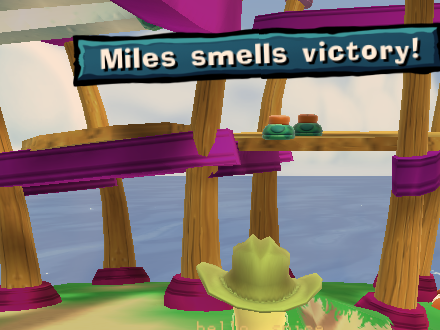
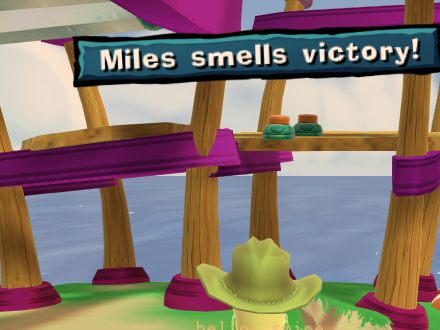
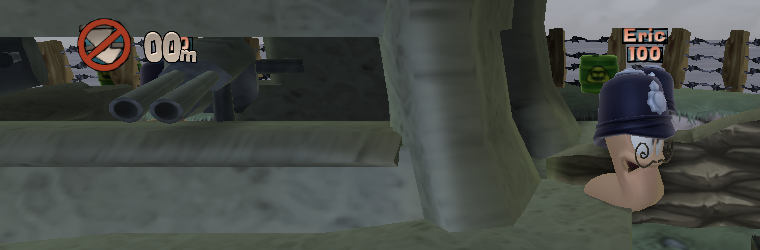
| Before hello-spice loads | After hello-spice runs |
|---|---|
 |
 |
wum.unsafe (raw memory reads and writes, native calls) exists only for mods whose manifest asks for it, and raises an error until the player allows it.
Weapon mods
Section titled “Weapon mods”A kind: "content" mod can add up to 3 weapon clones: a new, independently named weapon that reuses one of
a handful of vanilla weapons’ own code and stats, with its own icon and Lua behaviour. Add a weapons array to
spice.json (schema: spice-1.schema.json), react to its events with
wum.sim.weapons from entry.sim, and it shows in the weapon panel with no other wiring. The full field
reference, the base whitelist, the Lua events and what does and doesn’t work yet are in
weapons.md; dist\Mods\mega-bazooka (shipped disabled) is a complete example: an
oversized Bazooka with a bigger blast and three extra explosions.
Schemes and weapon presets
Section titled “Schemes and weapon presets”A client-only mod can add game styles and team-editor weapon presets as data: schemes and factoryWeapons in
spice.json list JSON files (formats in spice.md).
The Schemes module (src/schemes) rebuilds the game’s DATA.LockedSchemes and DATA.LockedWeapons resources from
Data\Tweak\LOCAL.XOM: it copies the object graph reachable from each collective into a bank shaped like the level
registry’s (wrapper #1, XDataBank #2, then the objects grouped in TYPE-table order), appends a deep copy of the base
scheme or preset per entry with the file’s changes, writes it under Melange\cache\schemes\ and loads it over the
original (LoadBank, section 0, overwrite) once the frontend has settled, adding each entry’s text as a string
resource. It runs again when the set of enabled mods changes, always from LOCAL, so it is idempotent. Both lists are
client-side: the host’s scheme and a team’s preset key travel by the vanilla protocol, so peers need nothing. The
builder (schemes/builder.cpp) is pure and has an offline test, schemes_selftest.
Sudden-death music
Section titled “Sudden-death music”A mod’s music entries (spice.md) replace the sudden-death music. The sound
is Data\Audio\PC\muSuddenDeath.fsb, an FSB4 bank with one MPEG sample, which FMOD opens itself with CreateFileA
(relative path data\audio\PC\muSuddenDeath.fsb) once per match at match load, not at start-up and not when sudden
death starts. The Music module (src/music) scans each MP3 for its MPEG frames (music/bank.cpp), writes one bank
with a single SuddenDeath sample made of the tracks’ frames in a random order, copying the version, mode, bank ID
and hash bytes from the game’s own file, to Melange\cache\music\suddenDeath.fsb, and hooks kernel32’s CreateFileA
(safetyhook inline): a read-only open of a name ending in \audio\pc\musuddendeath.fsb is answered with the cache
bank, anything else passes through. The vanilla file is never modified, and with no tracks the cache bank is deleted
so the game gets its own. A match plays the bank as it is when the game opens it, so the bank is rebuilt (new order,
and the last first track is not repeated) at start-up, whenever the enabled mods change, and on the first frontend
settle after every match: one order per match, the next one prepared while the player is in the menus. The scanner,
bank writer, shuffle and path matcher are pure and have an offline test, music_selftest.
Sieve (xomtool)
Section titled “Sieve (xomtool)”The game’s data files (weapon stats, meshes, textures, sound banks) are one container format, .xom. Sieve is
Melange’s toolchain for it: a portable C++/Python reader-writer library (already used by Melange itself for
weapon field offsets and types) and a command-line tool, xomtool (built into dist/tools/xomtool.exe), for
unpacking, packing, inspecting, diffing and converting .xom files (textures to and from PNG, static meshes to
and from glTF) and building weapon-clone banks. See xomtool.md.
Oasis (web app)
Section titled “Oasis (web app)”Oasis is a web page for the running game, served by melange.asi on 127.0.0.1 only. Open it from the overlay or with Ctrl+Shift+O; the link carries a secret token that the page swaps for a session cookie, and nothing listens until then. Its panels show the live log and bus events, run Lua like the overlay console, enable and disable mods, and edit Melange.ini. The page can change what the overlay can, with one exception: it can revoke a mod’s Deep Desert access but never grant it. Modules add channels, methods and panels through melange/oasis.h, and a client mod can do the same with wum.web (see lua-api.md). Melange.exe, next to melange.asi, serves the same app with the game closed (past logs, captures, mods and settings). The user guide, the security model and the protocol are in oasis.md.
Map editor (Erg)
Section titled “Map editor (Erg)”Erg is an Oasis panel for building Versus maps from the game’s own levels: move spawns, place mines, oil drums,
crates, telepad pairs, triggers and a mine factory, set water and theme, sculpt terrain, paint the surround, write a
level script, and export the result as a mod (a shareable patch, or the full built files for your own machine). A
Test button plays your changes, at the time of day you pick, in a private, offline-only copy before you export
anything. The RPC surface (level.*, levels.live, the erg channel and the /erg/assets/ route) is in
oasis.md; the user guide, the spice.json levels array and the exported pack layout are in
erg.md and spice.md.
- Level scripts run in the sim sandbox after every mod’s
entry.sim, only on their own map, withwum.level(the map’s knots, and triggers and crates placed at them) and thesim.turnStartedevent. The API and the determinism rules are in erg.md.Melange.exechecks only a script’s size and encoding; its syntax is checked by the game’s Lua 5.0 when the game is running. - Live packs: a mod whose only content is maps can be enabled or disabled at the main menu, offline, without a
restart (
levels::EnablePackLive,levels.live, the overlay’s Mods page). A pack with scripts, weapons, messages, client code or file overrides needs a restart, and a live-changed pack plays offline only until the next restart. - Formats: the wire formats are
erg-scene(the full editable scene, server/browser only) anderg-patch(a saved or exported edit against a pinned base), each in two versions: erg-scene-1, erg-scene-2, erg-patch-1 and erg-patch-2. v2 adds level objects, a level script and a painted surround. A patch is written as v1 unless it uses one of them, so existing v1 projects and packs need no migration and stay readable. A build that knows only v1 refuses v2 by itsformat. - Survivor copies: a level with
"survivor": trueis also registered asMulti.<stem>.S(type 3, no lock,LevelSection 0, theme 5, the level’s own files and title, scriptsSurvivor[,<stem>]), a pack level for the picker, the random pools, the online gate and level scripts alike. Its chunk runs under Survivor because the generator wrapslib_SetupMultiplayerWormsAndTeamsinsideInitialise(Survivor’s list has nostdvs, so the loader refuses a library function redefined at load); a pack chunk in the pre-M6.2 form is still accepted and served from the cache in the new form. At the main menu, everyWXD.Level.LastPlayed{,.Dest,.Stat,.Surv,.Fort}that names an unregistered level is reset to a vanilla one. See erg.md. - Known limits: no new solid terrain pieces, no blend brushes, and the level script syntax check runs in the game only. See erg.md.
SDK headers
Section titled “SDK headers”The public SDK headers are in src/sdk/melange/:
| Header | Purpose |
|---|---|
melange/bus.h |
Subscribe to engine messages by name or id, read their payloads, and register payload decoders |
melange/overlay.h |
Add overlay panels, menu items and hotkeys. The View menu lists every panel, with a / in its title ("Tools/Grid", no blanks around it) making a submenu; AddToggleMenuItem adds an item that shows a check mark while its getter returns true |
melange/jlog.h |
Write structured records to the session log, and read the in-memory tail |
melange/export.h |
Start a “Save logs” export, or write one to a given path |
melange/testcmd.h |
Register named text commands for scripted testing |
melange/render.h |
Renderer access: camera, window size, frame timing, scene stages, GL state save and restore |
melange/gltrace.h |
OpenGL call statistics, frame capture and texture dumps |
melange/compat.h |
Report what your module loaded or skipped on this GPU, for the compatibility report |
melange/postfx.h |
List, enable, order and tune post-processing effects; add a full-screen pass from C++ |
melange/shaders.h |
List the game’s shader programs, reload them, set their parameters, add shader folders |
melange/graphics.h |
Request a shadow-map size at runtime and read the current one |
melange/draw.h |
Draw lines, boxes, spheres, meshes, text and batched textured sprites (billboards and velocity-stretched) in the world, and shapes, text and images on the HUD |
melange/gldebug.h |
Whether the debug context is on, its message counts, and debug groups and labels for your GL work |
melange/mods.h |
The mod list, load order and enable state (Thumper), and the content identity and lobby handshake used online |
melange/lua.h |
Extend the Lua 5.4 client VM from C++: add wum.* namespaces, post events to mods, read Sandbox statistics |
melange/sim.h |
The simulation side: match tick, C++ tick hooks, deterministic random numbers, pre-checked message sends, mod message names |
melange/oasis.h |
Oasis: push data to the web app on channels, add RPC methods and web panels |
melange/levels.h |
Map packs and Erg: the registered levels, Test arming and its time of day, the online map gate, and live pack changes |
melange/gamestate.h |
Read-only game state: worms, teams, match values, entities, the game’s data variables and a guarded raw memory view |
Sim scripts
Section titled “Sim scripts”A content mod’s entry.sim runs inside the match’s own Lua VM, which is Lua 5.0 with float numbers: no # (use table.getn), no % (use math.mod), and integers are exact only up to 2^24. Each mod gets its own environment, so the level script’s globals are never changed. The environment has the safe base functions, math, string, table and wum:
| Name | Purpose |
|---|---|
wum.mod.id, wum.mod.version |
The mod’s identity |
wum.log.debug/info/warn/error(...) |
Log lines tagged with the mod and the simulation tick (print is wum.log.info) |
wum.events.on(name, fn), off(handle) |
The engine messages the match script receives (GameLogic.Turn.Ended, Weapon.Fired, …), registered mod messages (fn(name, value)), and "tick" |
wum.sim.after/every(ticks, fn), cancel(handle) |
Timers in simulation ticks (50 per second) |
wum.sim.tick() |
Ticks since the match started |
wum.sim.random([m[, n]]), randomFloat() |
A random stream per mod, seeded by the match; math.random is the same stream |
wum.sim.send(name[, v]), sendInt/sendFloat/sendString |
Send an engine message; returns true, or nil and a reason, and never stops the match script |
wum.sim.getData(id), setData(id, v) |
Read and write the game’s data values, checked the same way |
wum.sim.storage |
A table for the mod’s own state during the match |
wum.sim.weapon(name):get(field), :set(field, v) |
Read and change a weapon’s data for this match; set works only while the script’s top-level chunk runs at match start. Field types: f32, i32, u32, u16, u8, bool and string; a u16 takes 0 to 65535 and a u32 0 to 16777216 (2^24, the most a float32 holds exactly), and a u32 above that is refused (Lua already rounds a literal 16777217 to 16777216, which is accepted); get of a u32 above 2^24 returns the nearest float32. u32/u16 sets are unverified in game |
wum.sim.weapons.list(), .on(event, name, fn)/.off(h), .explode(dx, dy, dz), .active() |
Weapon clones: subscribe to a clone’s fire/tick/impact/explosion events and queue extra explosions. Full reference: weapons.md |
wum.sim.hash(v, ...) |
Adds numbers, strings, booleans or nil to this tick’s state hash, for state the mod keeps in locals |
Every call from the game into a sim script has an instruction budget ([SimBridge] InstrPerCall). A callback that fails or runs out of budget three times is switched off. dist\Mods\sim-sampler and dist\Mods\bazooka-plus are examples (shipped disabled). dist\Mods\desync-probe, also disabled, shows how to test a mod’s determinism with the desync detector (wormsign.md).
With Wormsign on, every sim mod’s state is part of the per-tick hash, so a mod that computes differently on two machines is caught at the tick it happens, with the mod named. Wormsign hashes the mod’s globals and wum.sim.storage (three tables deep, in any key order; functions and userdata count by type only), and whatever the mod passes to wum.sim.hash in that tick. Locals and upvalues are not visible to it: a mod that keeps its state there can pass it to wum.sim.hash.
Building from source
Section titled “Building from source”You need:
- Visual Studio 2022 or later, or the Build Tools, with the C++ x86 toolset;
- CMake 3.25 or later;
- Ninja.
.\build.ps1 # builds dist\melange.asi (-Config x86-debug for a debug build).\deploy.ps1 # installs into the Steam game folder (-GameDir <path> for another folder).\uninstall.ps1 # removes it again (-Purge also deletes logs and dumps).\scripts\selftest.ps1 # offline self-tests, no game needed.\scripts\web\fetch.ps1 # once: the portable Node.js + esbuild toolchain and the web app's pinned packages (no npm)deploy.ps1 keeps an existing dinput8.dll. If there is none, it downloads the latest Ultimate ASI Loader, or uses the one you give with -LoaderPath <dinput8.dll>. build.ps1 -PrivateDir <dir> also compiles the modules in <dir>\modules\*.cpp.
Melange.exe launcher
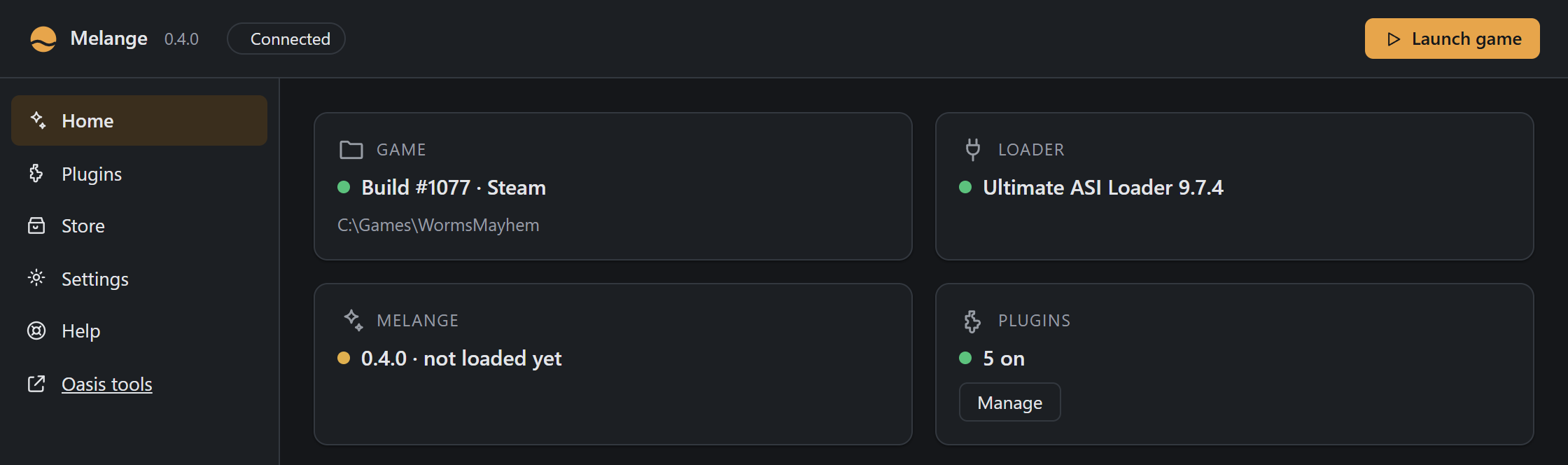
Section titled “Melange.exe launcher”Melange.exe is a small Windows app that manages your Melange installation. It locates your game, validates the build, installs or updates Melange and plugins, and lets you launch the game.
- First run: guides you through setup (find game, verify build, install Melange and suggested plugins).
- Home: shows status cards for your game, loader, Melange and plugins, with actions like Launch, Repair or Update. A downloaded update shows Restart to update here (and on every page).
- Plugins: enable/disable installed plugins and configure their settings. Local plugins are hidden until Show local plugins is on; notices say which plugins the compatibility sweep set aside, updated or removed.
- Store: browse and install plugins from the plugin store.
- Settings: change your game folder, switch fullscreen and pick the window size (Display), check for updates (and switch automatic checks off), manage backups, edit plugin defaults, uninstall, or Restore vanilla.
- Help: Export last game’s logs zips the last game’s logs to the Desktop in one click.
The launcher runs a local web server and embeds the same Oasis web app in Windows’ Edge WebView2 component. It finds the game from Steam/GOG libraries or lets you browse, validates WormsMayhem.exe by SHA-256 against build #1077, and manages the ASI loader and plugin installation as atomic transactions with rollback on failure.
The launcher’s own settings (launcher.json), logs and downloaded updates are in %LOCALAPPDATA%\Melange\; the files it installs (dinput8.dll, melange.asi, Melange.ini) are in the game folder, with backups in <game>\Melange\backup\. Game files are never modified unless you confirm the action, and every install, repair, update and uninstall is backed up so you can undo it in one click. The one exception is Restore vanilla, which deletes for good, and says so before you confirm.
Command line:
Melange.exe— run the window; first run if no game is saved.Melange.exe --game <dir>— use this game folder (does not overwrite the saved one without your confirmation).Melange.exe --browser— no WebView2 window, open the default browser instead (accessible only from127.0.0.1).Melange.exe --serve— headless server for testing, prints the launch URL to stdout. It does not look for updates by itself.
Display
Section titled “Display”Settings › Display (src/launcher/rpc_display.cpp, display.get / display.set, pure logic in
src/launcher/local_cfg.h) holds the two things the game reads when it starts:
- Fullscreen writes
Fullscreenunder[Display]inMelange.ini(andEnabled=1there if the module was off);melange.asiapplies it as soon as the game’s window is up (Fullscreen). It needs Melange installed. - Window size writes
/Wand/Hin the game folder’slocal.cfg, which the engine reads afterDefault.cfg(command-line sizes are overridden by both). The rest of the file is kept as it was: unknown switches, their order,/W:1280or/W 1280style, line endings; a missing/Wor/His added. The list offers the primary monitor’s display modes (EnumDisplaySettings) and the common 16:9 sizes, none larger than the monitor. /FS, the stock launcher’s exclusive fullscreen, conflicts with Melange’s borderless one: turning Fullscreen on removes it fromlocal.cfg, and the page says so.
Both are refused while the game runs (the usual write gate). display.get reports what is set (local.cfg over
Default.cfg), the monitor and the gate’s reason, so the page can disable the controls.
Memory (4 GB)
Section titled “Memory (4 GB)”Settings › Memory (src/launcher/rpc_laa.cpp, launcher.laa.get / launcher.laa.set, logic in
src/launcher/setup/laa.* and src/core/pe_laa.*) is the opt-in large-address-aware mode: WormsMayhem.exe is a
32-bit process with 2 GB of address space, and the flag in its PE header (IMAGE_FILE_LARGE_ADDRESS_AWARE, the
0x0020 bit of the 16-bit Characteristics word at e_lfanew+22) lets it use up to 4 GB on 64-bit Windows.
- The setting is
LargeAddressAware=0|1under[Game]inMelange.ini(default0). It needs Melange installed. - Applying happens when the toggle changes and again in
launcher.launch, just before the game starts (so Steam’s “Verify files”, which restores the stock exe, is undone). Only the supported build (CheckExeisOk) is touched, and never while the game runs. The exe is copied toWormsMayhem.exe.melange-tmp, the copy is patched and flushed, and its canonical hash, size and bit are checked beforeMoveFileExWswaps it in; the temp file is removed on any failure. A failure is logged ([laa]) and never stops the launch (launcher.launchanswerslaa: "failed:<why>"). - Reverting (the toggle off, and Restore vanilla) clears the bit only when
Melange\laa.jsonexists, the marker Melange writes when it sets the bit. An exe patched by something else is left alone. - Identity. The exe hash that names the build (
game::Exe().sha256,CheckExe, themlg.gidhandshake value, crash reports, the system report) is the canonical SHA-256: the file with that one bit cleared. A patched and a stock exe give the same string, so every module stays on, the launcher still sees the supported build, and other players see no difference.CheckSumis not touched (the exe is not signed and Windows does not check it for a user-mode exe). The system report also hasrawSha256andlargeAddressAware. - In game
Melange.logprintslarge-address-aware=0|1on theexeline and warns whenMelange.iniasks for the mode and the exe does not have it (the game was started withoutMelange.exe). - If Windows refuses the write (a game folder only an administrator can change), the page says so; run
Melange.exeas administrator once.
Restore vanilla
Section titled “Restore vanilla”Settings › Restore vanilla makes the game folder stock Worms Ultimate Mayhem again (src/launcher/setup/vanilla.*,
setup.vanillaPlan / setup.vanillaApply). It is not an uninstall: it removes every mod framework, not just
Melange, and keeps no backup.
- Stock list.
res/wum-1077-stock.tsv(relative\path<TAB>size, 2130 files) is embedded in Melange.exe as theWUM_STOCKresource (res/stock.rc). It was taken from a clean Steam install of build #1077, freshly verified, with the*.cshshader caches left out.scripts/gen-stock-manifest.ps1 -GameDir <clean install>regenerates it. - Plan. Same gates as an install: the configured folder must hold the #1077
WormsMayhem.exe, the game must be closed, and the folder must not be protected. Every file not in the list is deleted, except files the game writes:local.cfg,Default.cfg,steam_appid.txt,user.cfg,*.csh,XOM*-*.log,Net_*.log,Redist\. Saves live in Steam’suserdata, outside the folder. The plan names what it found so the dialog can warn about it: Melange, the loader DLLs (dinput8,dsound,winmm,version,d3d9,xinput1_3,winhttp,wininet,opengl32, identified bydll_id), ReShade, Special K, dgVoodoo, Renewation HD (byVersion.txt, with every extra file underData\), WUMPatch, Worms4UHD MouseFix and loose ASI plugins. Stock files whose size differs, or that are missing, are listed. - Apply. Replays (
*.wsr,desync-*.zip) move toDocuments\Melange\replaysfirst, never overwriting (name (2).wsr). If one can’t be moved, nothing is deleted. Then the files are deleted and the non-stock folders left empty are removed. A runningMelange.exein the game folder is deleted by a hiddencmdonce the process has exited (after Close Melange). Access denied on the first file is-32010. The page offers Restart as administrator (setup.elevate {resume: "vanilla"}), and the elevated run reopens the dialog. - Afterwards.
launcher.jsonforgets the game folder, first run, default plugins and the last update check (ResetForVanilla; theme, window and any other preference stay), andupdates\is emptied. If stock files were changed or missing, or Renewation HD or WUMPatch was found (they overwrite stock files), Steam installs getsteam://validate/70600. Others are told to verify in GOG Galaxy or reinstall. Everything is logged tolauncher.log([vanilla]).
Updates
Section titled “Updates”Melange keeps itself up to date (src/launcher/updater.*, src/launcher/update_host.cpp, src/update/):
- Check. Each time
Melange.exestarts (unless Check for updates automatically is off), and from Settings › Updates › Check for updates, a background thread sendsGET https://api.github.com/repos/JaminB/melange/releases/latest(user agentMelange/<version>, no cookies or credentials). GitHub’s/latestnever returns drafts or prereleases. The tag must bev<version>; if that version is newer than the running one, the release must also carrymelange-<version>.json. A release without it is never offered. Offline or rate-limited is not an error: the automatic check just logs it. The time of the last check islastUpdateCheckinlauncher.json. - Download. The manifest and the zip it names are downloaded into
%LOCALAPPDATA%\Melange\updates\<version>\(onlyhttps://github.com/JaminB/melange/releases/download/URLs). The zip’s length and SHA-256 must match the manifest (and the release’s asset size). It is unpacked intopayload\(plain relative names only), whereMelange.exeandmelange.asimust carry this version. If the runningMelange.exeis signed, both must also passWinVerifyTrustwith a leaf certificate of the same subject and issuing organisation.ready.jsonis written last. Only the newest staged update is kept; older ones, and ones no newer than the running version, are deleted at start. - Restart to update. The banner’s button (disabled while the game runs) starts
payload\Melange.exe --apply-update --from <old exe folder> --pid <old pid> --game <dir>, and the old launcher exits. The new one waits for it, then runs the setup engine’s install over the game folder: staged, backed up toMelange\backup\, committed by rename, rolled back on failure. It merges newMelange.inikeys and copies itself in as the game folder’sMelange.exe. If Melange isn’t installed in that folder, the folder is left alone. If the oldMelange.exeran from somewhere else, that copy is replaced as well: the old file is renamed toMelange.exe.old(deleted at the next start), along with the other release files already there. When Windows refuses a write, the same apply runs again as administrator (--elevated, one UAC prompt). Then it starts the installedMelange.exenormally. That start shows “Updated to x.y.z”, or the error if nothing could be changed, fromupdates\result.json, and callsOnMelangeUpdated(gameDir)once after a successful update. The apply logs to%LOCALAPPDATA%\Melange\update.log.
The game looks too ([Update] CheckInGame=1, the Update module): at most once a day, the same GET, compared
by version only, with a toast if a newer Melange exists. It downloads nothing.
One switch, Settings › Updates › Check for updates automatically (autoUpdate in launcher.json, default on,
update.setAuto), covers both: off, Melange.exe doesn’t look at start and writes CheckInGame=0 into the game
folder’s Melange.ini (a running game picks it up at its next start). The launcher keeps the ini in step at start,
after an install, repair or restore, and when a game folder is chosen, so a fresh Melange.ini (the template says
CheckInGame=1) doesn’t turn the game’s check back on. Check for updates still works with it off.
Releasing
Section titled “Releasing”Releases are built and signed by the release workflow (.github/workflows/release.yml) on a GitHub-hosted
Windows runner. Bump project(Melange VERSION x.y.z) in CMakeLists.txt, then push the tag vx.y.z (the
workflow refuses a tag that doesn’t match). The workflow:
- fetches the toolchain: CMake, Ninja and the Ultimate ASI Loader
dinput8.dllas pinned downloads checked by SHA-256, and Node.js, esbuild and the web packages withscripts\web\fetch.ps1; - runs
scripts\release.ps1 -StageOnly, which builds the public config and stages the zip’s files inout\stage; - signs
melange.asi,Melange.exeandtools\xomtool.exewith Azure Artifact Signing (SHA-256, timestamped) and checks the signatures.dinput8.dllis not signed; - zips the stage, writes its update manifest
out\melange-<version>.jsonwithscripts\release-manifest.ps1({"version", "zip", "sha256", "size"}), and creates the GitHub release for the tag (or adds to it) with both files attached and the zip’s SHA-256 in the notes.
Melange.exe updates itself from the latest release (see Updates), and only when that release has
melange-<version>.json beside melange-<version>.zip. If you ever publish a release by hand, attach both files,
on a tag named v<version> that is not a draft or prerelease. The new Melange.exe and melange.asi must be signed
with the same publisher certificate subject as the release before it, or signed installs will refuse the update.
Run it by hand from the Actions tab (gh workflow run release.yml -f sign=false for an unsigned dry run): the
zip is then uploaded as a workflow artifact instead of a release. Signing uses the repository variables
AZURE_TENANT_ID, AZURE_CLIENT_ID, AZURE_SUBSCRIPTION_ID, SIGNING_ENDPOINT, SIGNING_ACCOUNT and
SIGNING_PROFILE, and logs in through OIDC from the release environment, so no secret is stored.
CODE_SIGNING.md is the public policy.
To build a release offline, without signing:
.\scripts\release.ps1 # builds the public config and writes out\melange-<version>.zip and .jsonThis builds with build.ps1 and no -PrivateDir, so no out-of-tree modules are compiled in, then refuses to
continue if the CMake cache has a private dir, if dist\melange.asi contains a private-module marker, or if any
text file staged for the zip contains a local C:\Users path. The zip has melange.asi, the default
Melange.ini, dinput8.dll (Ultimate ASI Loader) and its licence in THIRD_PARTY.md, Melange.exe,
tools\xomtool.exe, the sample Mods\, LICENSE, THIRD_PARTY.md and an INSTALL.txt mirroring the README’s
install steps. The version comes from project(Melange VERSION x.y.z) in CMakeLists.txt. out\ is not
committed; the script prints the zip’s SHA-256 so it can be posted alongside a GitHub release, and writes the
update manifest out\melange-<version>.json that must be attached to the release with the zip.
Documentation site
Section titled “Documentation site”site\ is an Astro Starlight site, published to https://jaminb.github.io/melange/ by
.github/workflows/pages.yml on every push to main and as the last job of release.yml. docs\*.md, README.md
and CODE_SIGNING.md stay the source of truth: the site’s prebuild syncs them (and renders the docs of every tag from
v0.8.0 on, the *.schema.json references and the changelog from GitHub Releases) into gitignored folders, so edit
the docs here, never under site\. The site is the one place npm runs, only in that workflow, and nothing it
installs ships in a release. To preview it locally: cd site; npm ci; npm run dev. npm run check (also run on pull
requests that touch docs\, src\lua\ or site\) fails when a function registered under wum.* in
src\lua\ isn’t documented in docs\lua-api.md; intentional internals go in site\scripts\wum-coverage.allow.json
with a reason.