
Install a mod
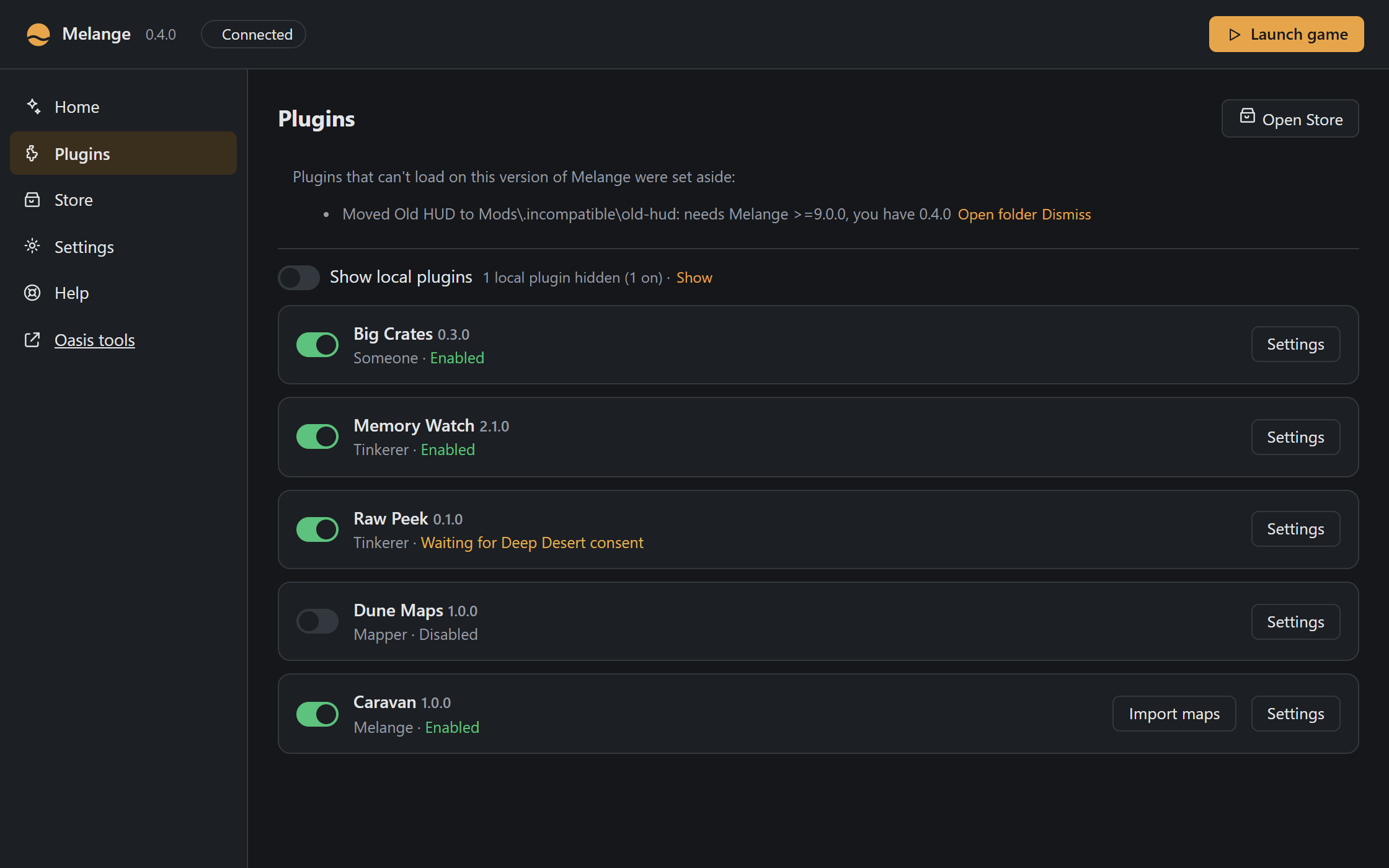
The easy way is the Store: on Melange.exe’s Plugins page press Open Store (in the game: Store on the Thumper/Mods page, or the Store panel in Oasis), pick a plugin and press Install. The Store contacts GitHub only when you open it, and sends nothing about you or your game. Some plugins, like Caravan, import maps from a download onto your PC.
To install a mod by hand (a “local” plugin):
- Put the mod’s folder in
<game>\Mods\, so that you have<game>\Mods\<mod>\spice.json. - Start the game and press
`to open the overlay. - On the Thumper/Mods page, tick Show local plugins and switch the mod on. Mods that change gameplay take effect the next time you start the game.
Good to know:
- Local plugins are hidden by default. The Plugins and Mods pages list what you installed from the Store; Show local plugins lists the rest too, with a Store or Local badge. Hidden plugins still load if they are switched on.
- Plugins that can’t load are set aside. When Melange starts (Melange.exe or the game) and finds a plugin that this version of Melange can never load (its
spice.jsonasks for another Melange version, or is broken), it doesn’t leave it lying around: a Store plugin is updated to a version that works, or removed if there is none; a local one is moved to<game>\Mods\.incompatible\. The Plugins and Mods pages say what happened, until you dismiss it. Only then may Melange.exe contact GitHub without you opening the Store: to look for that update. - Online play: everyone in a match needs the same gameplay mods. Mods that only change your screen, such as effects and UI, don’t matter to other players.
- Permissions: a mod that asks for raw access to the game’s memory (“Deep Desert”) shows a consent dialog first. Only allow mods you trust.
- Samples:
dist\Mods\has example mods, all switched off. Copy one into<game>\Mods\to try it (tick Show local plugins to see it).